Sometimes a club may need to replace a member photo for someone who had already been approved by the District. Clubs can upload the new photo which triggers an automatic request for the District to review and approve the photo change, without needing to unapprove the member first.
IMPORTANT NOTES:
Each season prior to submitting teams for approval, clubs may upload a new photo for a member as needed.

If no new photo is uploaded, the existing one from the previous season is copied over to the new season automatically.

The current photo will continue to appear on the team roster and member card until the replacement photo is approved. The text at the top of the "Update photo" slideout tells the club administrator if the new photo will be used immediately, or if approval is required.

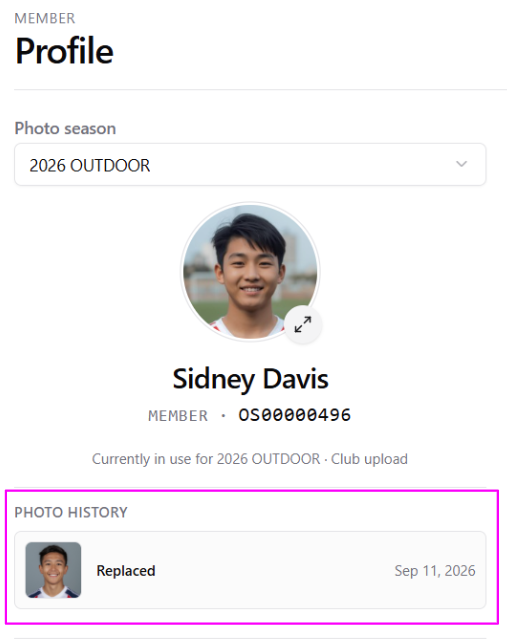
Member photos from previous seasons will remain accessible on the member's profile via a "photo season" dropdown. This means an admin can look back at a member's historical photo in a specific season if needed.

Districts will be notified within the Govern platform when requests are
Instructions
- After logging into the Ontario Soccer Govern module as a District Administrator, navigate to the Photo Reviews option in the Govern Navigation menu on the left.
- Here you’ll find a list of all submitted requests by clubs for changes to a member’s existing (approved) photo. You can select a specific club to view their submissions or click the Group by Club button to order the list as needed, or use the search box at the top to find a particular member.
- To approve the new photos, you can do so:
- Individually, by clicking the Approve button on the right for the relevant member
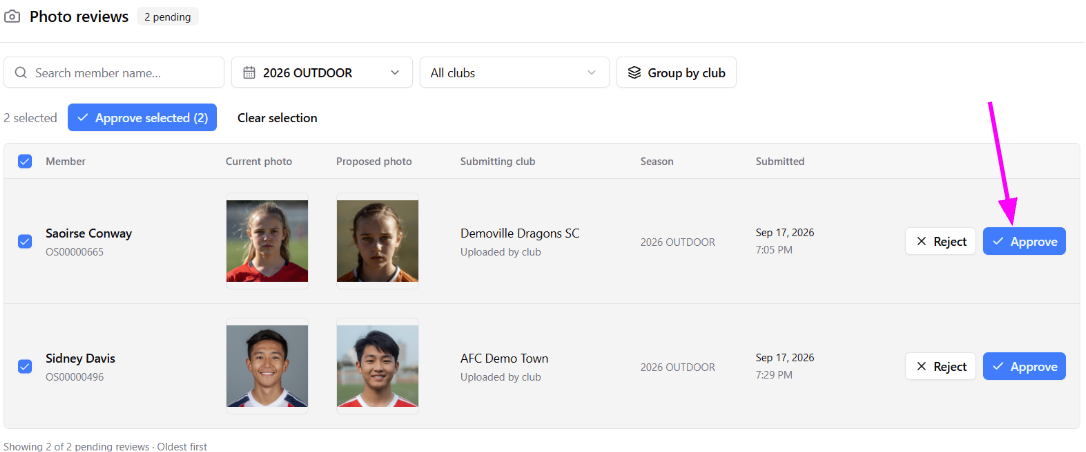
-or- - In bulk, by clicking the checkbox to the left of member you wish to approve and then click the Approve selected (#) button at the top.
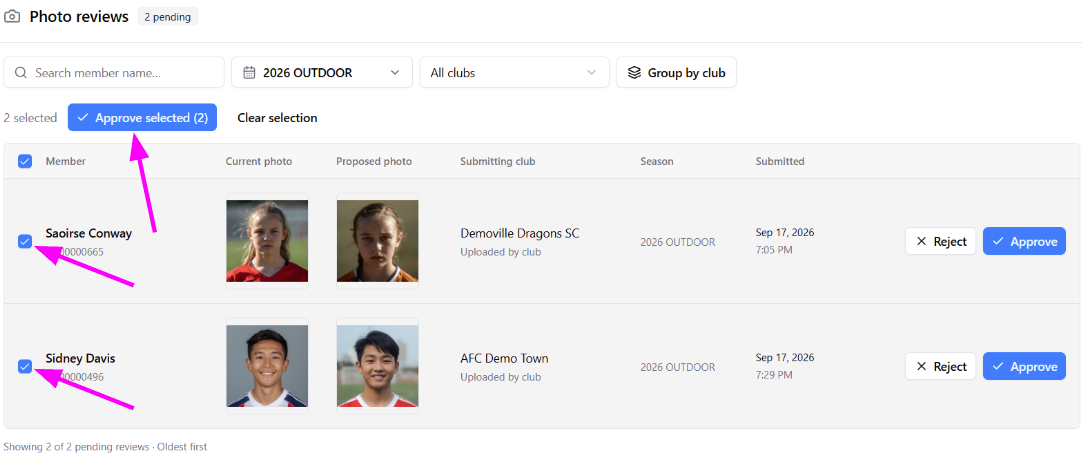
- Individually, by clicking the Approve button on the right for the relevant member
After approval, the new photo will be used on the Member Card and Team Roster(s). The member profile will include the details of the request and approval in the Activities log, and visibility to the replaced photo.
Was this article helpful?
That’s Great!
Thank you for your feedback
Sorry! We couldn't be helpful
Thank you for your feedback
Feedback sent
We appreciate your effort and will try to fix the article