For those clubs which use a different name for their development/competitive teams, you can add an "Alternate Club Name" that can be used on Official Team Rosters and Player Cards.
QUICK TIP: Both PowerUp and non-PowerUp clubs can enter an alternate club name if needed.
Instructions
To set an Alternate Club Name for your club:
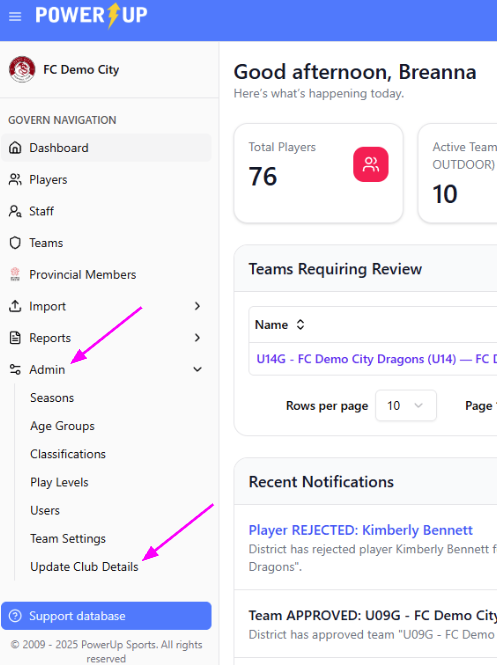
- After logging into the Govern module as a Club Administrator, navigate to the Admin option in the Govern Navigation menu on the left. Click it to expand the menu. Select the Update Club Details menu item.
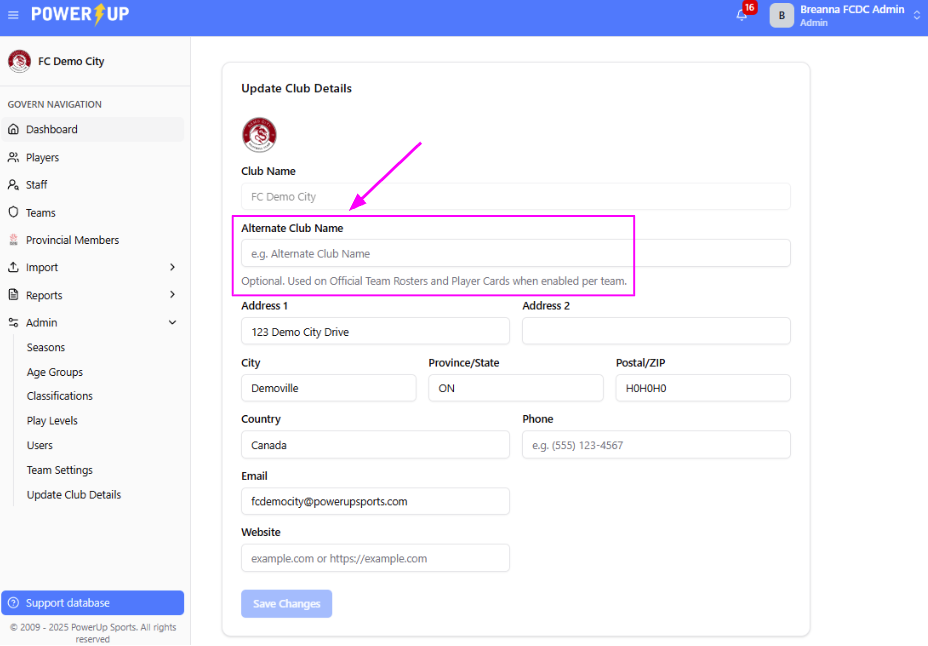
- Here you’ll see your club’s information, as well as a field for Alternate Club Name. Enter your Alternate Club Name and click Save Changes at the bottom of the page when ready.
To use your Alternate Club Name for a team:
- Click the Teams menu item in the Govern Navigation menu on the left.
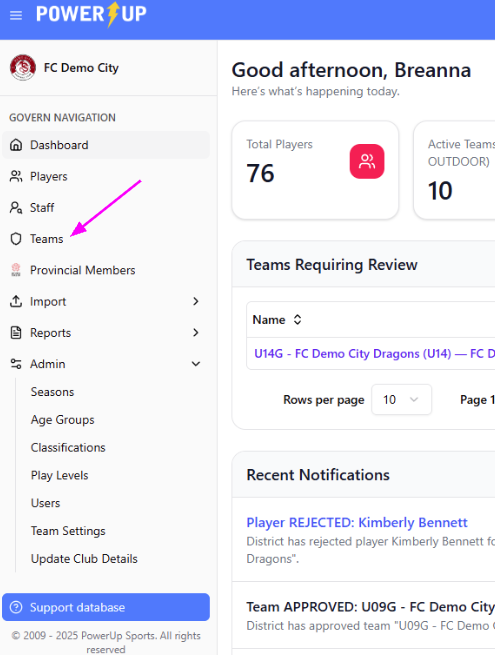
- Here you’ll see a list of all your teams in the season. Click the desired team name to open the Team Roster page.
- Click the Edit Team button.
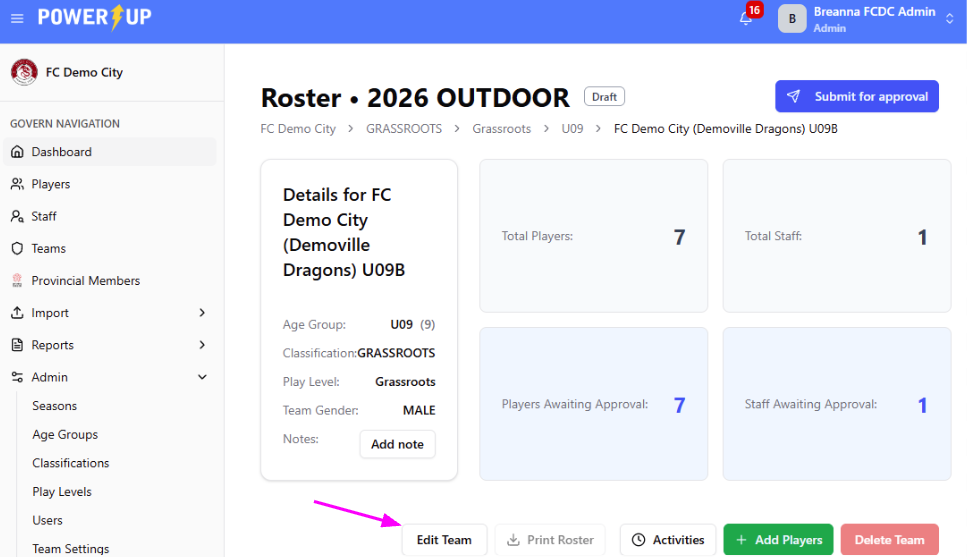
- A slideout will appear on the right of the page. Check the Use Alternate Club Name box at the bottom of the slideout and click Save Changes when ready.
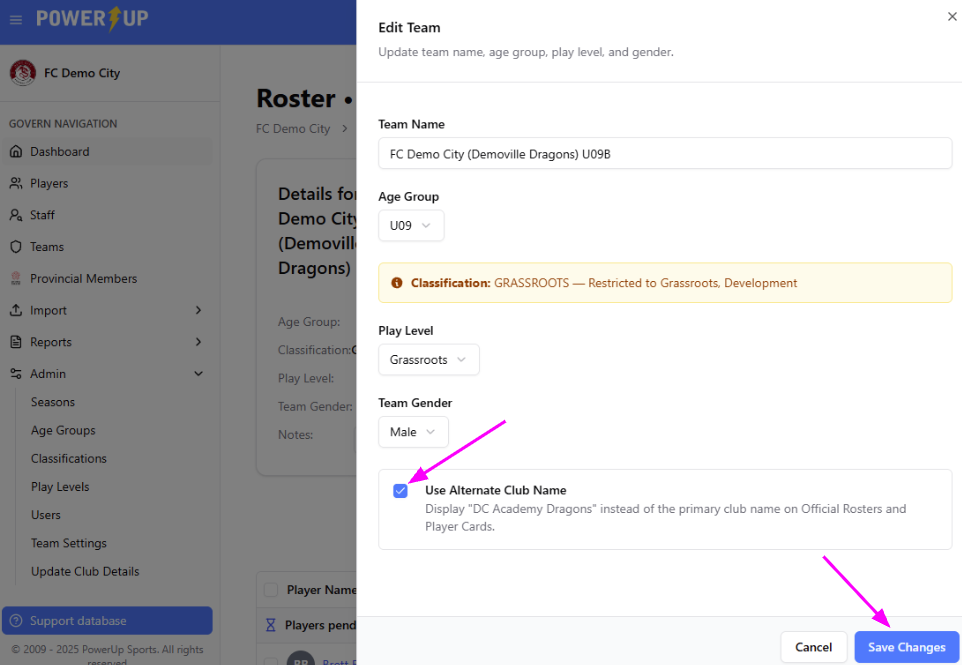
The Alternate Club Name will be visible on the approved Official Team Roster and Player Cards.
Was this article helpful?
That’s Great!
Thank you for your feedback
Sorry! We couldn't be helpful
Thank you for your feedback
Feedback sent
We appreciate your effort and will try to fix the article