From time to time, clubs may accidentally submit a team to the District for approval. Districts can reject the team submission if needed. Doing so removes the team from the “Pending Team Approvals” list.
To reject a team submission:
- Click the team name in the Pending Team Approvals list OR on the Teams page
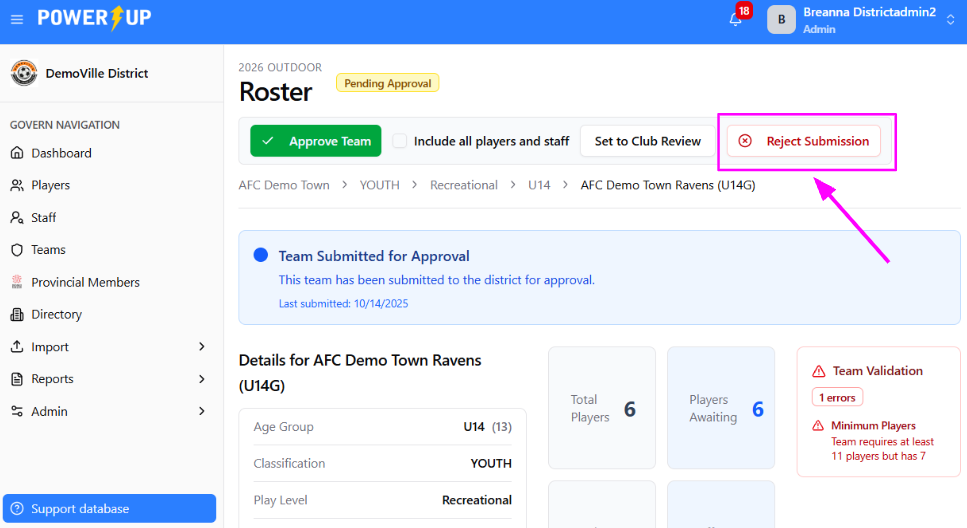
- In the upper right corner, click the Reject Submission button
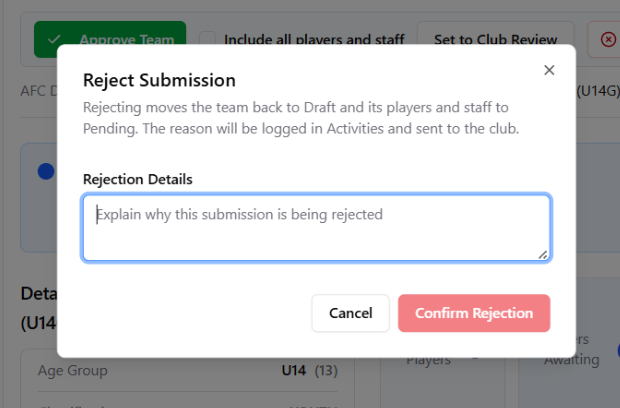
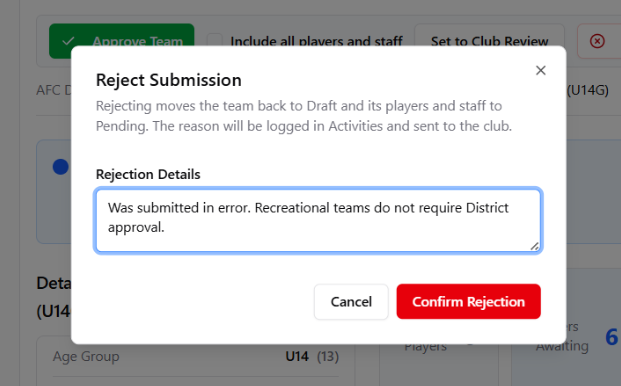
- You’ll be prompted to enter a reason for the rejection. Once you’ve done so, click the Confirm Rejection button
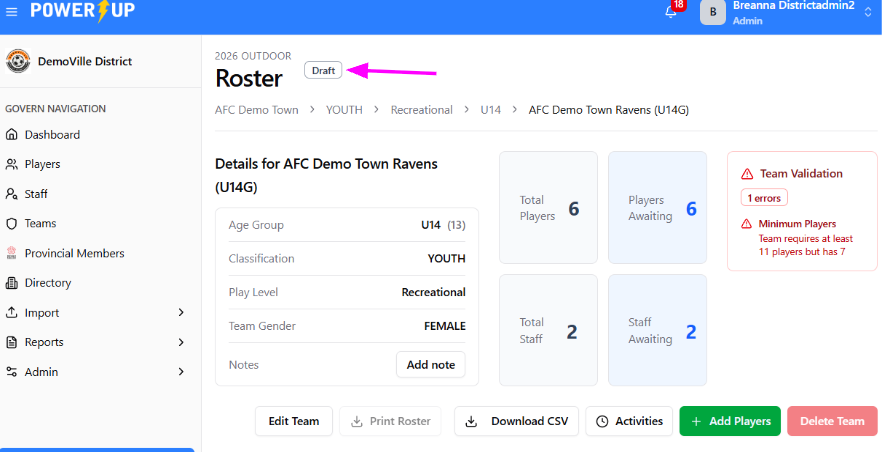
The team submission is rejected, and the team status is returned to “Draft” status and all players and staff are set back to “Pending” status.
Need to send a submission back to the club rather than reject it outright?
Set it to Club Review! See here for more details.
Was this article helpful?
That’s Great!
Thank you for your feedback
Sorry! We couldn't be helpful
Thank you for your feedback
Feedback sent
We appreciate your effort and will try to fix the article